Connect PostgreSQL
Experimentation is in beta.
Flagsmith writes experiment events to a table in your PostgreSQL database and computes experiment results by querying it there. Each environment has one warehouse connection.
Results queries slow down as the events table grows. See Performance and table growth.
Before you start
- On Flagsmith Cloud, a Scale-Up or Enterprise subscription.
- A database reachable from Flagsmith: on Flagsmith Cloud, over the internet; when self-hosting, from your Flagsmith API and warehouse delivery. On Flagsmith Cloud, servers restricted by IP allowlists aren't currently supported.
- A superuser, or a role with
CREATEROLEandCREATEon the database, to run the setup SQL. - When self-hosting, the event ingestion service, Kafka and warehouse delivery. See Self-Hosting and Open Source.
PostgreSQL-compatible services such as Amazon RDS and Aurora, Cloud SQL, AlloyDB, Supabase and Neon also work.
1. Create the events table and user
Run this once against your database. Replace <USER> and <YOUR_PASSWORD> with your own values. The same SQL is
available to copy from the Flagsmith dashboard.
-- Create the schema and events table
CREATE SCHEMA IF NOT EXISTS flagsmith_exp;
CREATE TABLE IF NOT EXISTS flagsmith_exp.events (
  environment_key TEXT NOT NULL,
  event           TEXT NOT NULL,
  feature_name    TEXT,
  timestamp       TIMESTAMPTZ NOT NULL,
  collected_at    TIMESTAMPTZ,
  identifier      TEXT NOT NULL,
  value           TEXT,
  traits          TEXT,
  metadata        TEXT,
  sdk_language    TEXT,
  sdk_version     TEXT
);
CREATE INDEX IF NOT EXISTS events_env_event_feature_ts ON flagsmith_exp.events (environment_key, event, feature_name, timestamp);
CREATE INDEX IF NOT EXISTS events_env_event_identifier_ts ON flagsmith_exp.events (environment_key, event, identifier, timestamp);

-- Create a dedicated user for Flagsmith
CREATE USER <USER> PASSWORD '<YOUR_PASSWORD>';

-- Allow it to read and write experiment events
GRANT USAGE ON SCHEMA flagsmith_exp TO <USER>;
GRANT SELECT, INSERT ON flagsmith_exp.events TO <USER>;
To use a schema other than flagsmith_exp, use the same name in the script and in Flagsmith. Schema names may contain
only lowercase letters, numbers and underscores, and can't start with a number.
Flagsmith doesn't create or alter the table, so keep exactly these columns and types.
2. Connect in Flagsmith
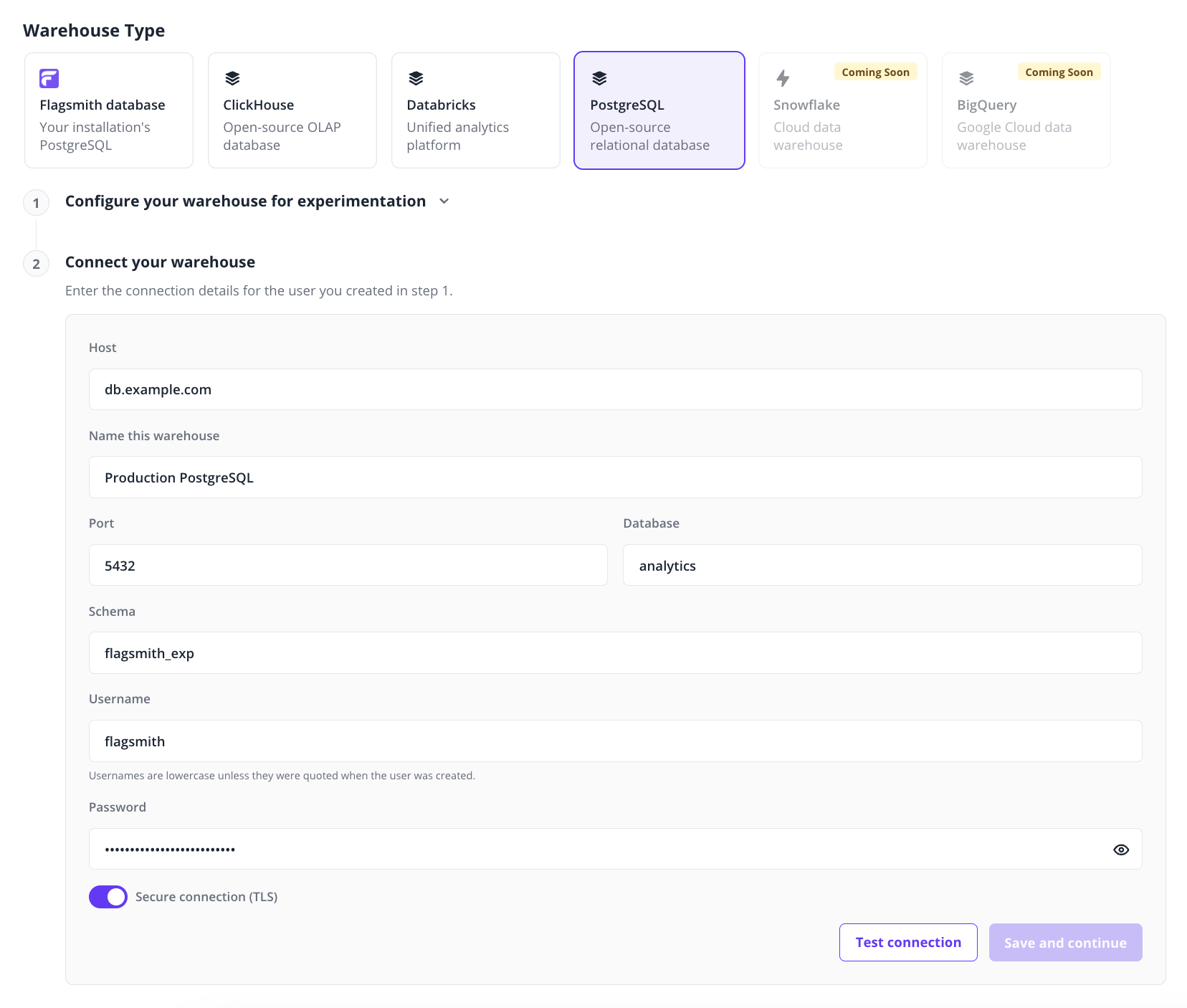
- Go to Environment Settings › Warehouse and select PostgreSQL.
- Fill in the connection details:
- Host: a hostname or IP address only, without a scheme, path or port.
- Name this warehouse: any name, e.g.
Production PostgreSQL. - Port:
5432by default. - Database: the database you ran the script in.
- Schema:
flagsmith_exp, unless you changed it. - Username and Password: the user you created in step 1. Usernames are lowercase unless you quoted the name
in
CREATE USER. - Secure connection (TLS): on by default. It encrypts the connection but doesn't verify the server's certificate. You can only turn it off when self-hosting.
- Click Test connection. Once it succeeds, click Save and continue. The test checks that the user can use the
schema, and that the events table exists, has the expected columns and allows
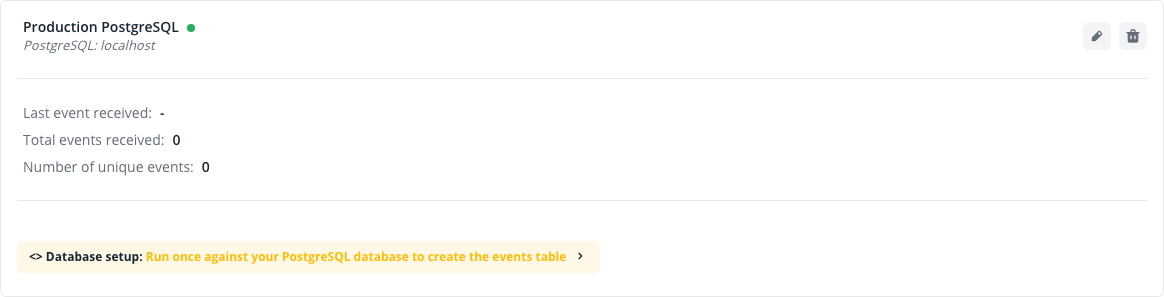
SELECTandINSERT. If the test can't connect, you can save anyway and test again later, but events won't be delivered until it succeeds. If Flagsmith rejects a field, such as the host or schema, fix it before saving. - On Flagsmith Cloud, to verify events reach your table, click Send your first event on the connection card; the button disappears once the first event arrives.
Manage the connection
Change the password
Change the user's password on your server first. Then edit the connection, enter the new password, click Test connection, then click Save changes. Leaving the password blank keeps the current one.
Change server
The host can't be changed. To use a different PostgreSQL database, disconnect and create a new connection.
Performance and table growth
Results queries scan the events table, so they slow down as it grows. If results become too slow, use ClickHouse or Databricks, which are built for this kind of query.
Flagsmith doesn't delete old events or partition the table. Monitor its size and manage retention yourself.
Troubleshooting
Errors show under a form field, below Test connection, or on the connection card with status Errored when event delivery fails.
| Message | Where | What to do |
|---|---|---|
| Enter a hostname or IP address, without a scheme or port. | Form | Remove any scheme (postgresql://), path, user or port from Host. |
| Port must be a number between 1 and 65535. | Form | Fix Port. |
| Use lowercase letters, numbers and underscores, not starting with a number. | Form | Fix Schema, and use the same name in the setup SQL. |
| Host must not target internal or private network addresses. | Test, card | On Flagsmith Cloud, use a host with a public address. |
| Authentication failed. | Test, card | Check Username and Password, and that your server's pg_hba.conf or firewall rules allow the connection. |
| Database does not exist. | Test, card | Check Database. |
| Events table not found in the configured database. Run the setup SQL to create it. | Test, card | Run the script in step 1 with the same schema as the connection. |
| Permission denied on the events table. The user needs SELECT and INSERT on it. | Test, card | Run the GRANT statements in step 1 again for the connection's user. |
| The events table's columns don't match the setup SQL. | Test, card | Make the table's columns and types match step 1 exactly. |
| The query timed out. | Test, card | Check the server's load. If the events table is large, see Performance and table growth. |
| Could not connect to the host. | Test, card | Check Host and Port, that the server accepts connections from Flagsmith, that the user has CONNECT on the database and, with Secure connection (TLS) on, that it supports SSL. |
| The PostgreSQL server rejected the request. | Test, card | Check the server's logs for the rejected connection or query. |
| Connection failed. | Test, card | Contact support. |